

How to swap your hosted game/server
You can completely replace/swap your hosted game at any time.
-
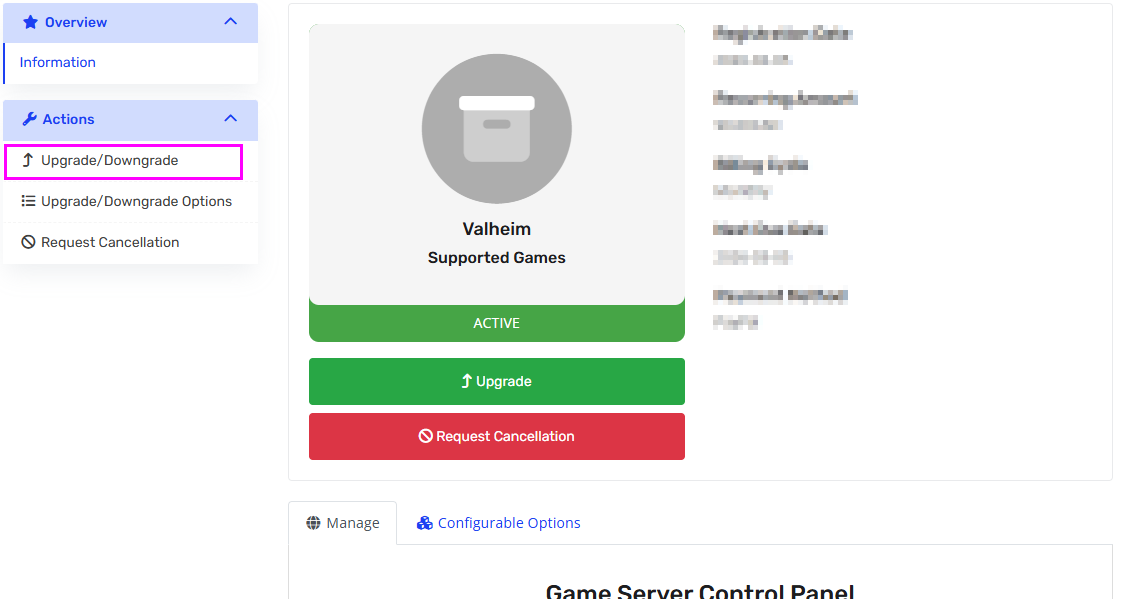
Go to your service page
-
In the left action menu, click
“Upgrade / Downgrade” -
Select the new game you want
-
Complete the order and payment (Swapping game is free)
Once the invoice is completed:
✅ Your old instance will be automatically deleted
✅ A new instance will be created
✅ Your configuration (CPU, RAM, options) will remain the same
⚠ WARNING — IMPORTANT
- Nothing from your old server is saved.
- All files will be permanently deleted.
Please download your backups before proceeding.
⚠ The process may take a few minutes.
Please wait without interrupting.