


What is Scheduling?
Scheduling lets you set up automatic tasks that run at specific times or intervals on your game server - just like setting an alarm clock for your server!
Common Uses:
- Daily Restarts - Automatically reboot your server at one or more specified times
- Regular Backups - Save your world automatically
- Sending Command - Send commands directly and automatically via the server console
How It Works:
-
Choose a Time (when to run)
-
Select Frequency (once, daily, weekly, monthly)
-
Pick Actions (command, power action, backup)
-
Set & Forget - runs automatically!
To create a schedule, please go to your server's control panel, under the "Schedules" tab.

There, you can create as many schedules as you wish, each running at your specified interval.
For example, one schedule every hour and another every 12 hours.
Here are the available configuration options:
-
Schedule Name: The name of your schedule.
-
Time: Determines when the schedule will run.
-
Must be written in Cron syntax.
-
You can use this tool to help write the correct syntax: Syntax Tool Debugger
-
-
Show Cheatsheet: Displays a summary of how to use Cron syntax.
-
Only When Server Is Online: The task will only run if the server is online.
-
Schedule Enabled: Enables or disables the entire schedule.
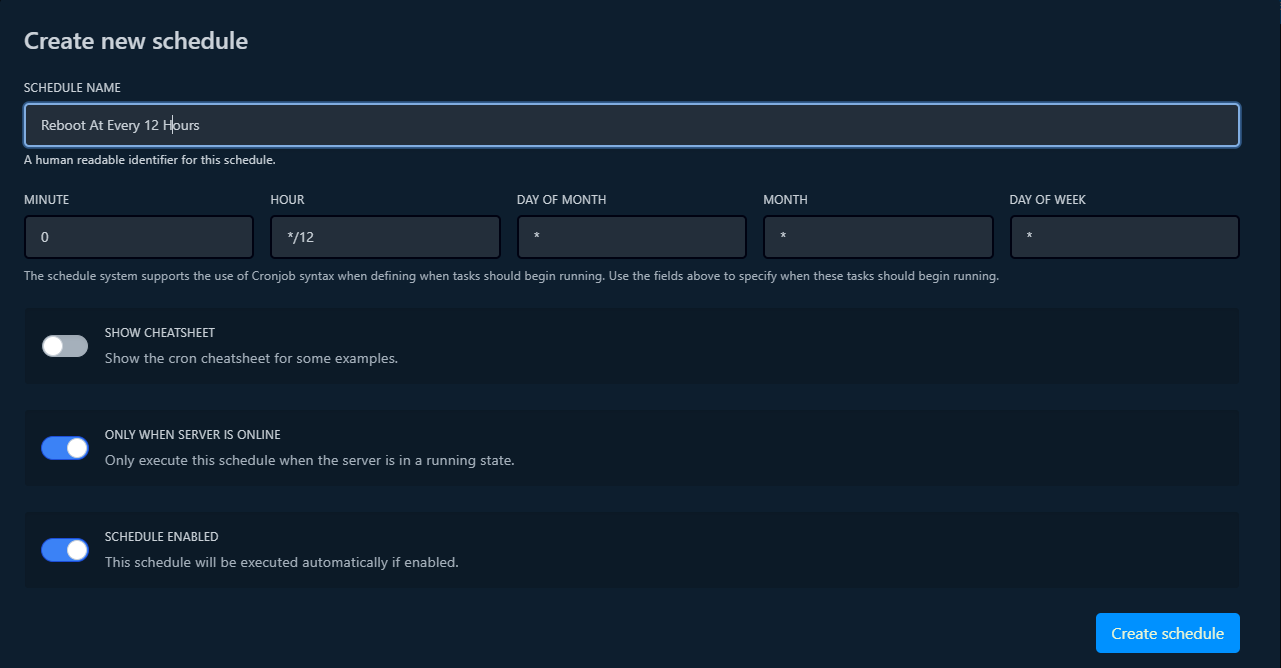

Once your schedule is created, click on it to add tasks to be executed.
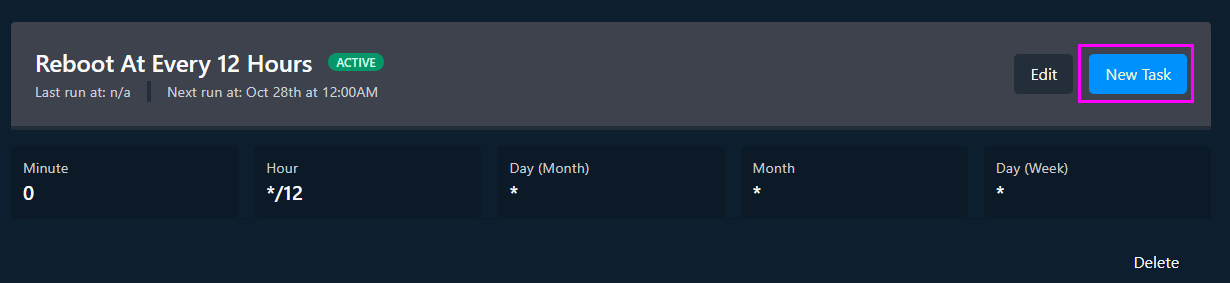
The available tasks are:
-
Send Command: In the "Payload" box, enter the executable commands (via the console) to run.
-
Send Power Action: Executes the selected power action, such as restarting your server.
-
Create Backup: Creates an automatic backup. It is important to optimize your backups to minimize required disk space. Please refer to the following article: "How to Optimize Your Backups".
Once the task is created, it will run each time according to the schedule you have set.
Please find an example below:
Here I have created a task that runs every 12 hours to restart the server.